
Overpen is an open source macOS app that lets you draw over anything on your screen, built for tutorials, screen recordings, live demos and teaching. It is currently under review on the Mac App Store.
The context
During a demo or a video tutorial, you often need to circle, underline or point at something on screen. Existing tools are often heavy, paid or intrusive. The idea: a small app that is fast, free and privacy-friendly, launched with a single shortcut.
My role
I designed and built the app end to end, on my own:
- Product design: features, shortcuts, visual identity and icon.
- Native development with Swift / SwiftUI and AppKit.
- Global shortcut that works from any app (Carbon), and launch at login (ServiceManagement).
- Sandboxed app, with no account, no tracking and no network access at all.
- Localization in English and French.
- Publishing: App Store screenshots and Mac App Store submission, source code released as open source (MIT license).
The solution
- One shortcut (⌥⌘P) to draw over the whole screen, on every display
- Freehand lines, or frames by holding Shift
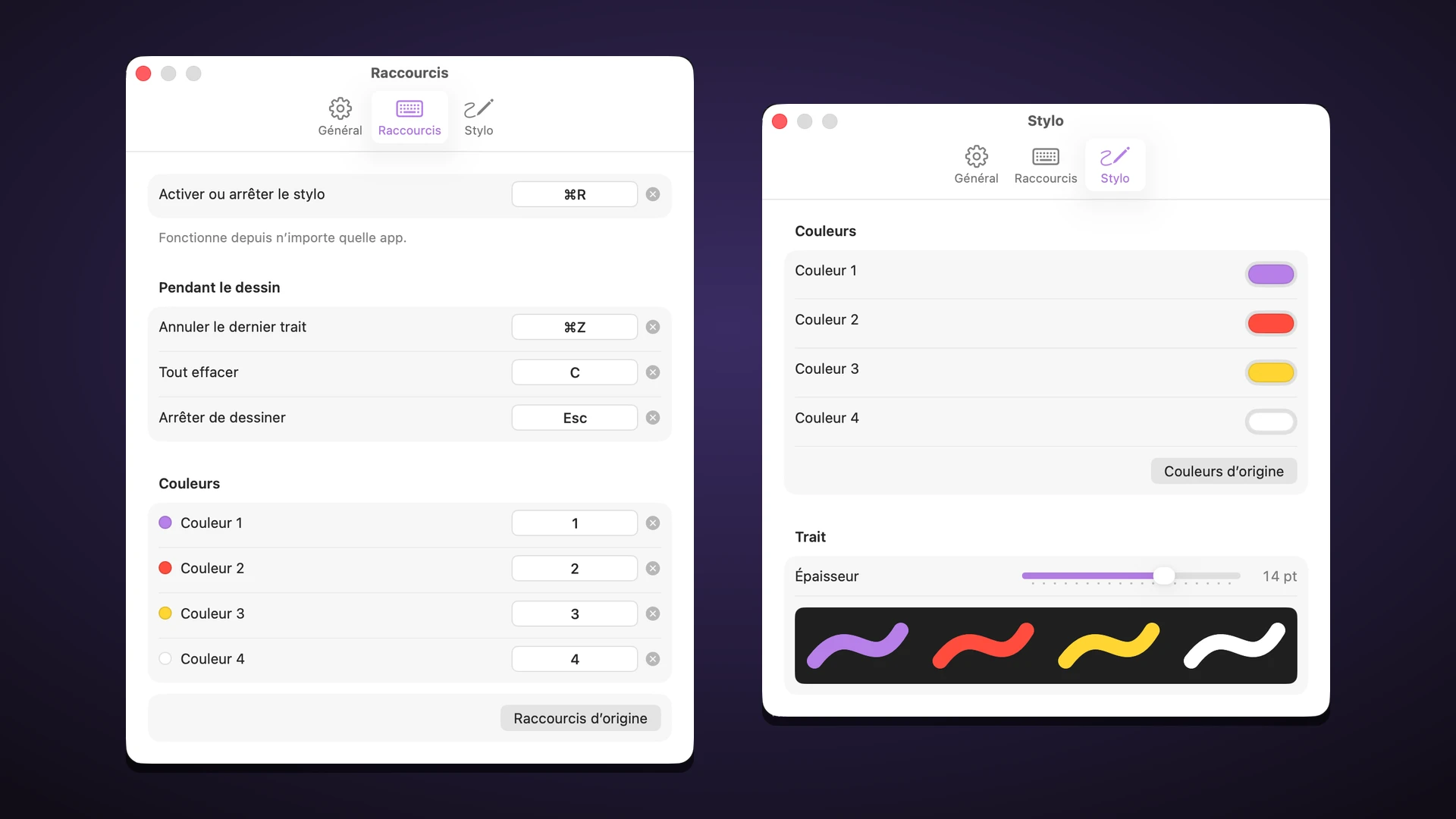
- Four customizable colors and an adjustable line thickness
- Undo, clear everything, stop with Esc
- Every shortcut can be changed and follows your keyboard layout (QWERTY, AZERTY and others)
- Lives in the menu bar, with no Dock icon
Stack
Swift · SwiftUI · AppKit · Carbon · ServiceManagement · Xcode